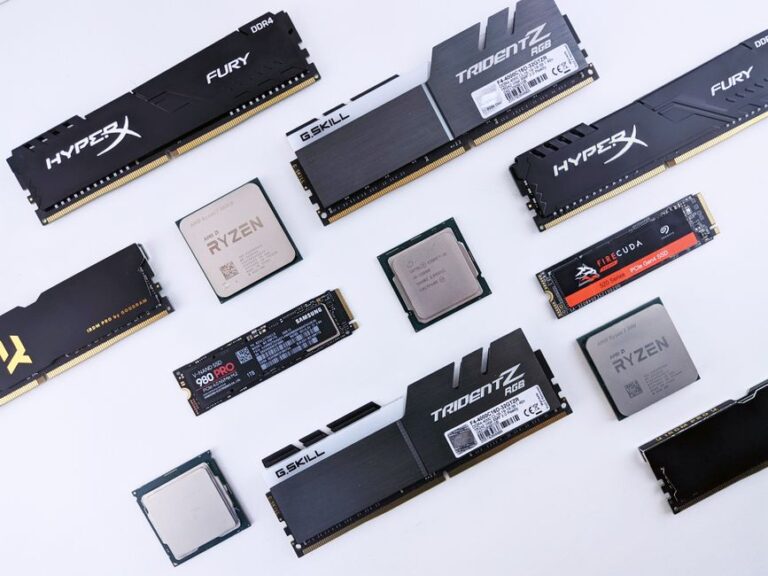
Unleashing the Power of SSDs in Gaming
Upgrading your storage to a Solid State Drive (SSD) can significantly enhance your gaming experience. With faster load times, improved performance, and increased reliability, SSDs are becoming essential for gamers. This article explores the transformative effects of SSDs on gaming, detailing their advantages and how they can elevate your gameplay.
Benefits of Upgrading to an SSD
Switching from a traditional Hard Disk Drive (HDD) to an SSD offers numerous benefits that can enhance your overall gaming experience. Here are some key advantages:
- Faster Load Times: SSDs can reduce game load times by up to 70%, allowing you to jump into your favorite titles without long waits.
- Improved System Responsiveness: Games and applications load faster, making the entire system feel more responsive and fluid.
- Enhanced Game Performance: SSDs can improve frame rates and reduce stuttering, especially in open-world games where assets are loaded dynamically.
- Durability and Reliability: SSDs have no moving parts, making them less prone to mechanical failure compared to HDDs.
- Lower Power Consumption: SSDs consume less power, contributing to better battery life in laptops and portable gaming devices.
How SSDs Work
To understand the advantages of SSDs, it’s important to know how they function. Unlike traditional HDDs that use spinning disks and mechanical arms to read and write data, SSDs use flash memory. This allows for much quicker data access times and faster read/write speeds.
SSDs store data in microchips, which can be accessed almost instantaneously. This technology dramatically reduces latency, making it an ideal choice for gamers who demand high performance and quick reactions in their games.
Choosing the Right SSD for Your Gaming Needs
When considering an SSD upgrade, several factors come into play. Choosing the right SSD is crucial for maximizing performance. Here are some key points to consider:
- Form Factor: SSDs come in various forms such as 2.5-inch, M.2, and PCIe. Ensure compatibility with your system before purchasing.
- Storage Capacity: Determine how much storage you need. Games can vary significantly in size, so opt for an SSD that meets your gaming library requirements.
- Read and Write Speeds: Look for SSDs with high read and write speeds. NVMe SSDs typically offer superior performance compared to SATA SSDs.
- Brand Reliability: Choose reputable brands known for quality and customer support. Research reviews and warranty options.
Installation and Setup
Installing an SSD can be a straightforward process, especially if you have some technical knowledge. Here’s a general guide to help you through the installation:
- Backup Your Data: Before starting, back up important files to prevent data loss during the upgrade.
- Open Your Device: Carefully open your gaming PC or console according to the manufacturer’s instructions.
- Connect the SSD: For SATA SSDs, connect the drive to the SATA port and power supply. For M.2 SSDs, insert the drive into the M.2 slot and secure it with a screw.
- Install the Operating System: If needed, install your operating system on the new SSD. Follow the on-screen prompts to complete this process.
- Transfer Games: Use backup files to restore your games onto the new SSD or download them from your gaming platform.
Maximizing Your SSD Performance
Once you have upgraded to an SSD, there are several steps you can take to ensure you are maximizing its performance:
- Enable TRIM: This command helps maintain the performance of your SSD over time by clearing out unused data blocks.
- Keep Firmware Updated: Manufacturers often release firmware updates that can enhance performance and reliability.
- Avoid Filling to Capacity: Keeping some free space on your SSD allows for better performance and longevity.
- Optimize Game Settings: Adjust in-game settings to take full advantage of the faster load times and performance boost provided by the SSD.
Future of Gaming and Storage Technologies
As gaming technology continues to evolve, so does the need for faster and more efficient storage solutions. With advancements in SSD technology, including PCIe 4.0 and 5.0, gamers can expect even higher speeds and better performance. These developments will further enhance the gaming experience, allowing for more immersive gameplay and seamless transitions between game environments.
Frequently Asked Questions (FAQ)
- What is the difference between SSD and HDD? SSDs use flash memory for faster access and durability, while HDDs use spinning disks and are generally slower.
- Will an SSD improve my gaming performance? Yes, an SSD can reduce load times and improve overall game performance, resulting in a better gaming experience.
- How long do SSDs last? SSDs typically have a lifespan of 5 to 10 years, depending on usage and quality.
- Can I use an SSD with my gaming console? Yes, many gaming consoles support SSD upgrades, which can improve load times and game performance.
- Is it worth upgrading to an SSD for gaming? Absolutely, upgrading to an SSD can greatly enhance your gaming experience by providing faster load times and improved performance.
Choosing the Right SSD for Gaming
When selecting an SSD for gaming, it is essential to consider several factors to ensure optimal performance. The capacity, speed, and type of SSD can significantly impact your gaming experience.
Capacity Considerations
The first step in choosing an SSD is determining the required capacity. Most modern games can occupy a substantial amount of storage space, often exceeding 100 GB. Therefore, it is advisable to opt for an SSD with at least 500 GB or more to accommodate multiple games and applications.
Speed and Performance
Another critical aspect is the speed of the SSD. Look for NVMe drives, as they offer significantly faster read and write speeds compared to traditional SATA SSDs. This increased speed translates to quicker load times and smoother gameplay.
Installation and Setup
Installing an SSD is generally straightforward, but it can vary depending on your system. Most gaming PCs have available slots for SSDs, and many consoles provide easy access for upgrades. Ensure that you follow the manufacturer’s guidelines for installation to avoid any complications.
Data Migration
If you are upgrading from an HDD, consider using data migration software to transfer your games and files to the new SSD. This can save time and ensure that your gaming setup is ready to go without the need for a complete reinstall.