Choosing the right gaming monitor is crucial for an immersive gaming experience. With various features to consider, it’s essential to understand what makes a monitor suitable for gaming. This guide explores the key elements to evaluate, ensuring you make an informed decision.
Understanding Monitor Resolution and Refresh Rate
The resolution and refresh rate of a gaming monitor significantly impact visual quality and performance.
- Resolution: Typical resolutions include Full HD (1920×1080), Quad HD (2560×1440), and 4K (3840×2160). Higher resolutions provide more detail, ideal for an immersive experience.
- Refresh Rate: Measured in hertz (Hz), the refresh rate indicates how many times the image refreshes per second. Common rates are 60Hz, 120Hz, and 144Hz. Higher rates result in smoother visuals, particularly in fast-paced games.
Choosing the Right Resolution
When selecting resolution, consider the following:
- Gaming Genre: Fast-paced shooters benefit from higher resolutions for clarity. Strategy games may perform well at lower resolutions.
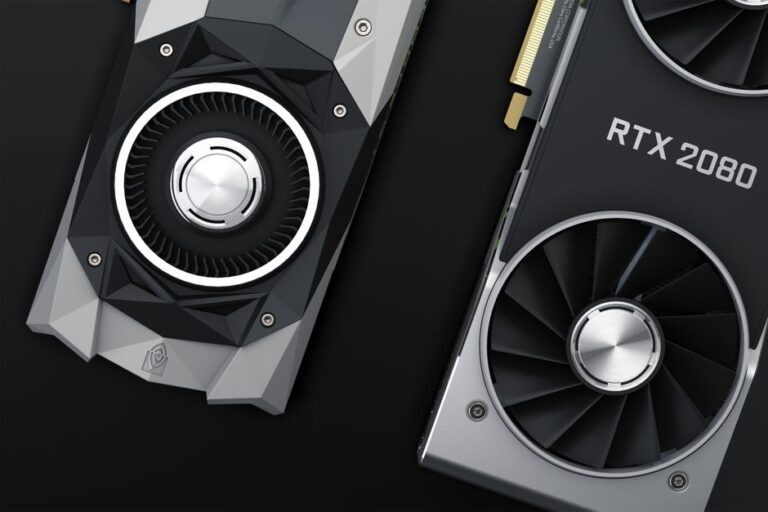
- Graphics Card Capability: Ensure your graphics card can support your chosen resolution effectively, especially for 4K gaming.
Optimal Refresh Rate for Gaming
A high refresh rate is essential for competitive gamers. It enhances responsiveness and can be the difference between winning and losing. If your hardware supports it, aim for a monitor with at least 120Hz.
Panel Types: IPS, TN, and VA
The type of panel affects color accuracy, response time, and viewing angles. Understanding these can help you determine the best fit for your gaming setup.
- IPS (In-Plane Switching): Known for excellent color reproduction and wide viewing angles. Best for gamers who value visual fidelity.
- TN (Twisted Nematic): Typically offers the quickest response times but at the expense of color accuracy and viewing angles. Ideal for competitive gaming where speed is critical.
- VA (Vertical Alignment): Provides deep contrast ratios and good color performance. A balanced choice for both gaming and multimedia.
Choosing the Best Panel Type
Consider your gaming habits when choosing a panel:
- If you play visually stunning titles, an IPS panel may be best.
- If you play competitive games, the fast response times of TN panels might be advantageous.
- For a blend of both, consider VA panels.
Adaptive Sync Technologies: G-Sync and FreeSync
Adaptive sync technologies reduce screen tearing, providing a smoother gaming experience. Understanding these technologies can enhance your gameplay.
- G-Sync: Developed by NVIDIA, G-Sync is designed for NVIDIA graphics cards. It synchronizes the monitor with the GPU to minimize tearing.
- FreeSync: Developed by AMD, FreeSync functions similarly for AMD graphics cards. It’s often more cost-effective than G-Sync.
Choosing Between G-Sync and FreeSync
Your graphics card choice will dictate which technology to use. Ensure compatibility for the best gaming experience. Both technologies can significantly enhance performance in fast-paced scenarios.
Additional Features to Consider
While resolution, refresh rate, panel type, and adaptive sync technologies are primary considerations, several other features can enhance your gaming experience.
- Response Time: Lower response times (1ms to 3ms) help eliminate motion blur and ghosting.
- Input Lag: A lower input lag ensure real-time responsiveness in competitive scenarios.
- Ports and Connectivity: Ensure adequate HDMI and DisplayPort inputs for versatile connectivity with your gaming setup.
- Ergonomics: Adjustable stands and VESA mount compatibility improve comfort during long gaming sessions.
Prioritizing Gaming Comfort and Convenience
Comfort and convenience can seriously impact your gaming experience. Look for monitors that allow for easy adjustments in height, tilt, and swivel. These features can prevent discomfort during extended play sessions.
Frequently Asked Questions
- What is the best resolution for gaming? Full HD (1080p) is suitable for most gamers, but for higher fidelity, consider Quad HD or 4K.
- Which panel type is best for gaming? It depends on your gaming style. For competitive gameplay, TN panels may be better; for vibrant visuals, IPS panels excel.
- Do I need G-Sync or FreeSync? Choose based on your graphics card. Both technologies help reduce screen tearing.
- How important is refresh rate? A higher refresh rate improves gameplay smoothness, particularly in fast-paced games.
- What should I look for in a gaming monitor? Consider resolution, refresh rate, panel type, response time, and ergonomic features for the best experience.