Understanding the Basics of Game Streaming Quality
In the rapidly evolving world of gaming, optimizing your game streaming setup is crucial for delivering high-quality content. This guide will explore essential components and techniques to enhance your streaming experience, ensuring your audience enjoys seamless gameplay and crystal-clear visuals. From hardware specifications to software settings, we will cover everything you need to know to elevate your streaming quality.
Essential Hardware for Game Streaming
To achieve maximum quality in your game streaming, investing in the right hardware is vital. Here are the key components to consider:
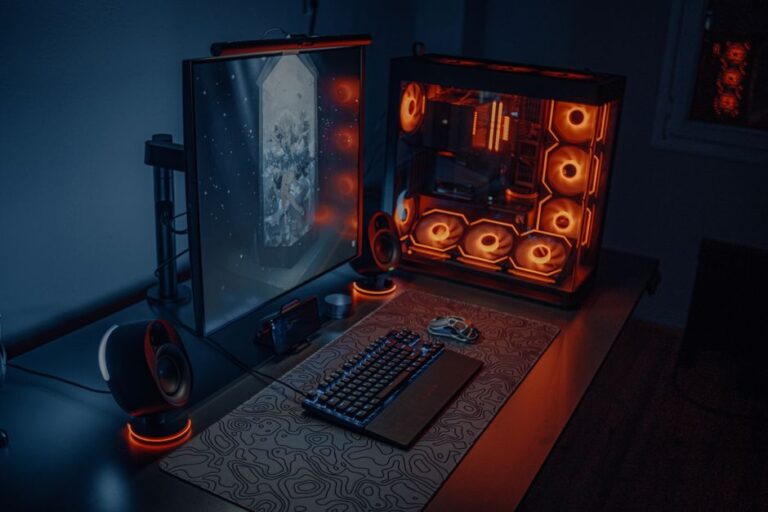
- Powerful Gaming PC or Console: Ensure you have a gaming rig that meets the demands of modern games. A high-performance CPU and GPU will provide the necessary processing power.
- High-Quality Capture Card: For console gamers, a reliable capture card will help transmit video and audio to your streaming software without lag.
- Fast Internet Connection: A stable and fast internet connection is essential. Aim for at least 5 Mbps upload speed for 720p streaming, and higher for 1080p or 4K.
- Microphone: Invest in a good-quality microphone to ensure clear audio. Viewers appreciate high-quality sound that complements the visuals.
- Webcam: A decent webcam can enhance viewer engagement. Choose one that supports at least 720p resolution for a professional look.
Setting Up Your Streaming Software
Your choice of streaming software can significantly impact the quality of your broadcasts. Here are some popular options and tips for setting them up:
- OBS Studio: This is a free, open-source software that offers extensive customization. You can adjust resolution, bitrate, and frame rate to optimize performance.
- Streamlabs OBS: Known for its user-friendly interface, Streamlabs OBS integrates various features like alerts and overlays, enhancing the viewer experience.
- Elgato Game Capture: Ideal for console gamers, this software provides an easy setup for capturing and streaming gameplay.
Once you’ve selected your software, ensure to configure the settings properly:
- Resolution: Stream at the highest resolution your hardware can handle, typically 1080p. Adjust the settings based on your internet speed and hardware capabilities.
- Bitrate: Higher bitrates result in better quality but require more upload speed. A bitrate of 2500 to 6000 kbps is typical for 1080p streaming.
- Frame Rate: Aim for 60 frames per second (fps) for smooth gameplay. However, if your hardware struggles, 30 fps is acceptable.
Enhancing Stream Quality with Settings and Techniques
Beyond hardware and software, there are various techniques and settings adjustments you can use to enhance the quality of your streams. Here are some effective strategies:
Optimize Your Streaming Environment
The environment in which you stream can greatly affect audio and video quality. Consider these factors:
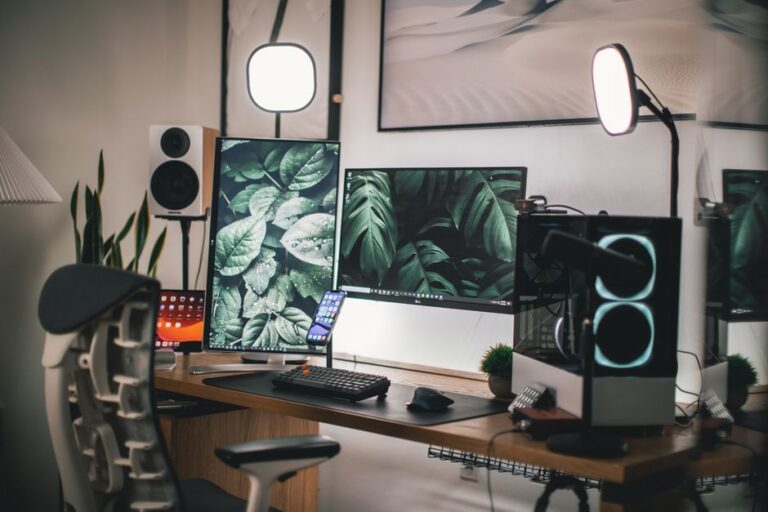
- Lighting: Good lighting can significantly improve webcam quality. Use soft, diffused lighting to avoid harsh shadows.
- Background: A clean, uncluttered background keeps the focus on you and your gameplay. Consider using a green screen for a professional look.
- Soundproofing: Reducing background noise enhances audio quality. Use carpets, curtains, and acoustic panels to minimize echo and outside noise.
Monitor Performance During Streaming
Keeping an eye on your stream’s performance in real-time allows you to identify and fix issues quickly. Utilize these tools:
- Stream Health Indicators: Most streaming platforms provide indicators showing your stream’s health. Watch for dropped frames or bitrate fluctuations.
- Chat Interaction: Engage with your audience through chat. They can provide immediate feedback on stream quality.
- Test Streams: Conduct test streams to evaluate quality before going live. This helps identify potential issues without impacting your audience.
Frequently Asked Questions
What internet speed do I need for game streaming?
A minimum upload speed of 5 Mbps is recommended for 720p streaming. For 1080p or 4K, aim for higher speeds, ideally above 10 Mbps.
Do I need a capture card for streaming?
A capture card is essential for console streaming while it is optional for PC streaming. It helps in capturing high-quality video and audio.
How can I improve my stream’s audio quality?
Invest in a good microphone, ensure a quiet environment, and use audio mixing software to balance sound levels effectively.
What bitrate should I use for streaming?
For 1080p streaming, a bitrate between 2500 to 6000 kbps is recommended, depending on your internet speed and the quality you want to achieve.
Can I stream without a webcam?
Yes, you can stream without a webcam. However, using one can enhance viewer engagement by allowing them to see your reactions during gameplay.
Choosing the Right Streaming Platform
When it comes to streaming games, selecting the right platform is crucial for reaching your audience. Popular platforms include Twitch, YouTube Gaming, and Facebook Gaming, each offering unique features and communities.
Twitch
Twitch is the leading platform for gamers, known for its interactive features such as chat and subscriptions. It allows streamers to build a community and monetize their content through donations and sponsorships.
YouTube Gaming
YouTube Gaming offers the advantage of a vast audience and the ability to upload recorded streams for on-demand viewing. It also integrates well with Google AdSense for monetization opportunities.
Facebook Gaming
Facebook Gaming is rapidly growing and provides an opportunity to reach a different demographic. It allows you to leverage your existing social network for potential viewers and engagement.
Essential Streaming Equipment
To elevate your streaming quality, investing in the right equipment is important. Here are some essential tools every streamer should consider:
- Microphone: A high-quality microphone can significantly improve your audio clarity, making your streams more enjoyable for viewers.
- Webcam: A good webcam enhances the visual aspect of your stream, allowing viewers to connect with you on a personal level.
- Lighting: Proper lighting can make a substantial difference in video quality. Softbox lights or ring lights can illuminate your face and reduce shadows.
- Headphones: A comfortable pair of headphones can help you monitor your audio and catch any issues in real-time.
Engaging with Your Audience
Interaction with your viewers is key to building a loyal fanbase. Responding to chat messages, asking questions, and creating polls can make your audience feel involved and valued.
Utilizing Social Media
Promoting your streams on social media platforms can help you reach a broader audience. Regular updates and engaging content can attract new followers and keep your current audience informed.