Essential Strategies for Winning in Competitive Online Multiplayer Games: A Step-by-Step Approach

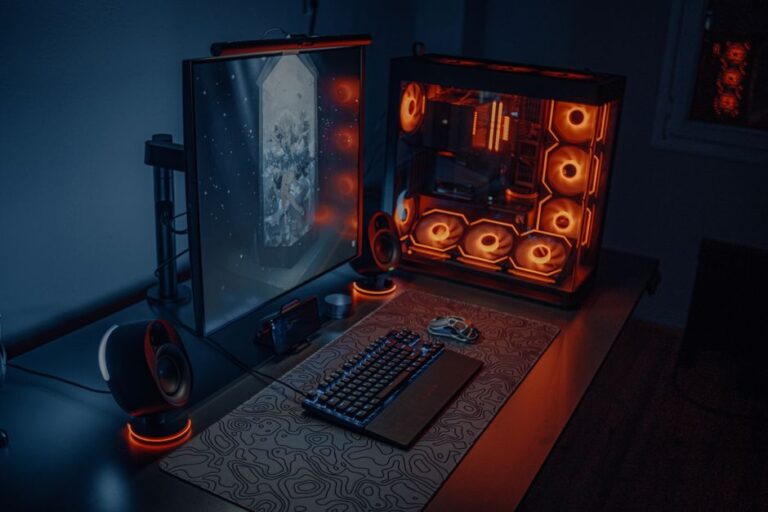
Building a custom gaming PC can be an exhilarating journey for beginners and experienced gamers alike. This comprehensive guide will take you through the essential steps, ensuring that you create a machine tailored to your specific gaming needs. From selecting the right components to assembling them, this guide covers everything you need to know.
Before diving into the assembly process, it is crucial to understand the primary components that make up a gaming PC. Each component plays a vital role in ensuring optimal performance during gameplay.
Selecting the right components is crucial for achieving a balanced gaming experience. Below are some key considerations when choosing each component.
When selecting a CPU, consider the performance and compatibility with the motherboard. Popular choices include Intel’s Core series and AMD’s Ryzen series. Aim for a processor with multiple cores for optimal multitasking.
The GPU is critical for gaming performance. Research models from Nvidia and AMD to find one that fits your budget. Look for options that support the games you want to play, as performance can vary widely.
The motherboard should support your selected CPU and GPU. Pay attention to factors such as size (ATX, Micro-ATX) and available expansion slots. Ensure it has enough ports for peripherals.
For gaming, 16GB of RAM is generally considered the minimum. Go for faster memory speeds (3200MHz or above) for better performance. For storage, a combination of SSD and HDD is recommended: SSD for your operating system and frequently played games, and HDD for additional storage.
Your PSU should provide enough wattage to support all components, with some headroom for future upgrades. Look for units from reputable brands with 80 Plus certification for energy efficiency.
Choose a case that fits your components while allowing for proper airflow. Consider additional cooling solutions like aftermarket CPU coolers and case fans if you plan to overclock your system.
Once you have all your components, it’s time to build your gaming PC. Follow these steps for a successful assembly.
Ensure your workspace is clean and free of static electricity. A wooden table or an anti-static mat is ideal.
Open the CPU socket on your motherboard and carefully place the CPU in the correct orientation. Secure it according to the motherboard’s manual.
Insert the RAM sticks into the motherboard slots, ensuring they click into place. Refer to the motherboard manual for the correct slots to use for dual channel configurations.
Follow the instructions specific to your cooler for installation. Proper thermal paste application is vital for efficient heat transfer.
Place the motherboard into the case and secure it with screws. Ensure all ports align with the case openings.
Insert the GPU into the designated PCIe slot on the motherboard. Secure it with screws to prevent movement.
Mount your SSD and HDD in their respective bays. Use SATA cables to connect them to the motherboard.
Connect the power supply to all components, including the motherboard, GPU, and drives. Make sure connections are secure.
Before closing the case, double-check all connections. Close the case, connect peripherals, and power on your system. Enter the BIOS to ensure all components are recognized.
Yes, you can build a gaming PC on a budget by selecting mid-range components and shopping for deals or refurbished parts.
For beginners, it typically takes around 2 to 4 hours to assemble a gaming PC, depending on familiarity with the components.
Basic tools like a screwdriver and anti-static wrist strap will suffice for building a gaming PC.
While it may seem daunting, building a gaming PC is quite manageable with careful following of guides and tutorials.
Check all connections, ensure components are correctly seated, and consult troubleshooting guides to identify potential issues.